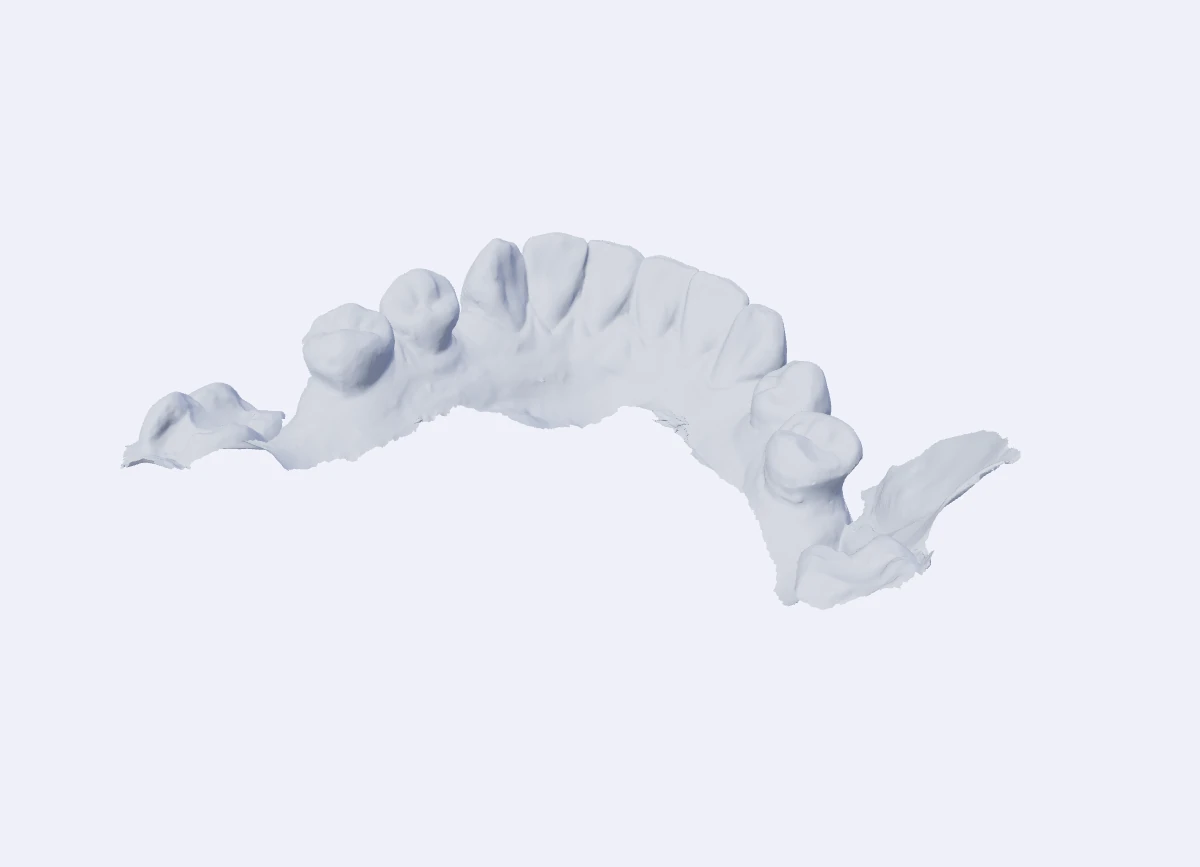
Start with the scan you have.
Unwanted soft tissue, uneven boundaries and scan artefacts included. Export your scan as it is — no tracing or manual trimming before you start.
AI DENTAL MODEL PREPARATION
Reliable soft-tissue
& artefact trimming.
Export your scan once. Our AI trims unwanted soft tissue and scan artefacts, adds a bevelled base — solid or hollow, with optional drain holes — and the Windows app opens the finished model in your slicer. No manual trimming or file transfers. Review, then print.
10 free models every month · No card needed
01 / REAL SCAN. REAL RESULT.
Reliable soft-tissue and artefact trimming is at the heart of AutoBuilder. See the real input and output below: unwanted material removed, a bevelled base added and drain holes created — with no manual trimming.
Unwanted soft tissue, uneven boundaries and scan artefacts included. Export your scan as it is — no tracing or manual trimming before you start.
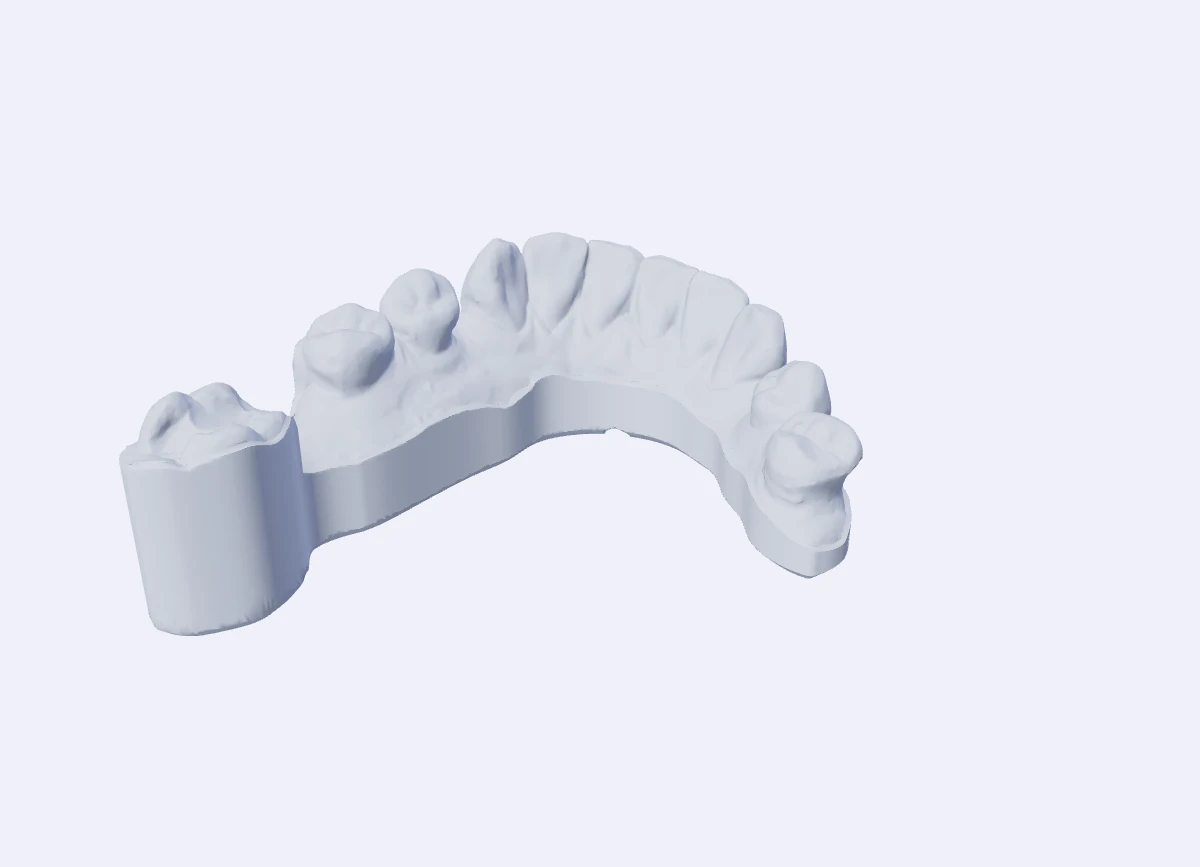
AI trims unwanted soft tissue and artefacts, then builds a bevelled base automatically. Choose solid or hollow to suit your print workflow.
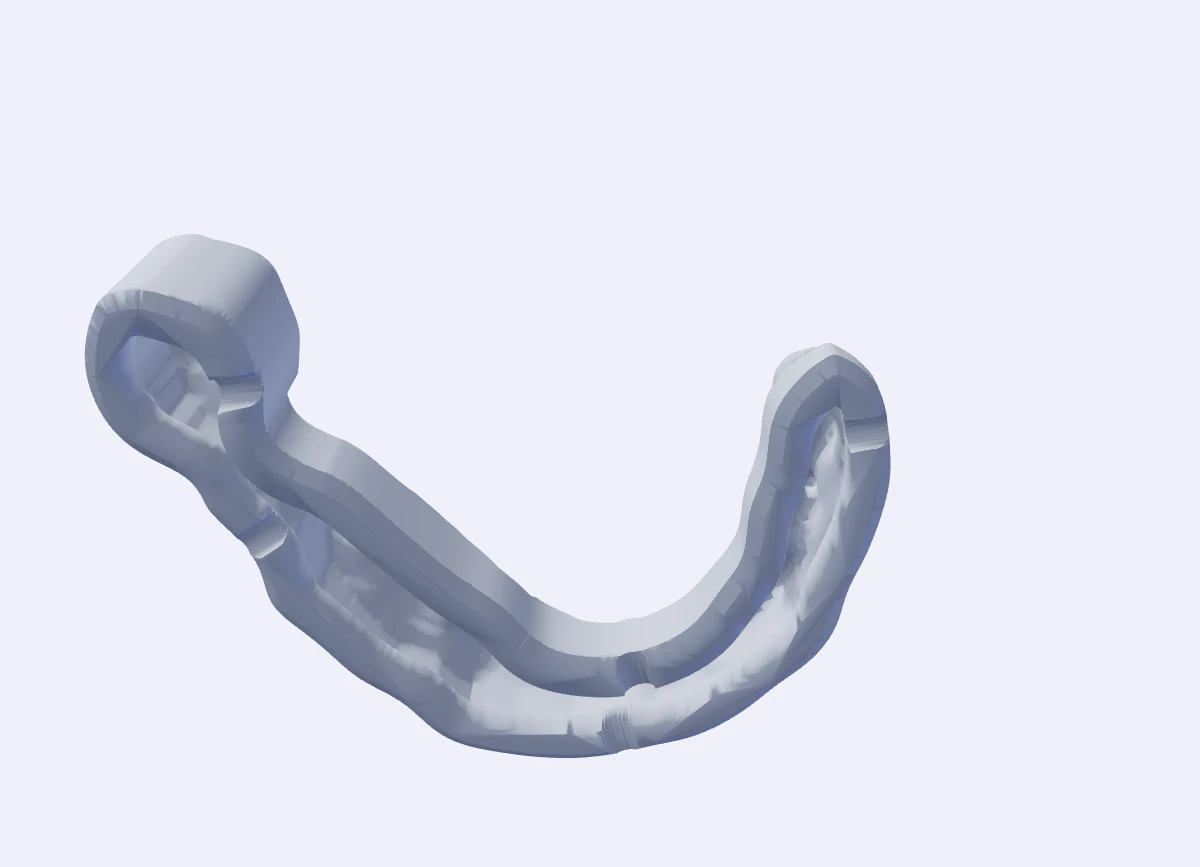
This hollow result shows the interior and automatic drain holes. Set your wall thickness and drainage preferences once; the desktop app handles the handoff to your slicer.
02 / YOUR WORKFLOW, ON AUTOPILOT
One export starts the whole workflow. The Windows app detects your scan, runs AI soft-tissue and artefact trimming, builds the base and opens the finished model in your slicer automatically.
Set your scan folder, base preferences and slicer once. From then on, export from your scanner — AutoBuilder handles the preparation and handoff.
Meet AutoBuilder for WindowsIncluded with Pro · Windows 10/11 · Internet required
 AutoBuilder Desktop Watching
Straight to your print workflow. Automatic handoff is verified with Asiga Composer. Review the model in your slicer, then start your print.
03 / START WITH YOUR NEXT SCAN
Try the AI soft-tissue and artefact trimming online for free. Go Pro for unlimited models and the Windows app’s complete export-to-slicer workflow.
For the occasional model.
No credit card. No expiry on the free plan.
Launch price, yours for as long as you stay subscribed. Billed monthly.
Per practice or lab location. All prices in AUD, excluding GST. Fair use applies.
One model is one arch. Free models reset on the first day of each month (UTC). Failed builds and repeat downloads never count. Several locations? Talk to us.
Yes. Every plan uses the same cleanup and basing engine and exports full-quality STL models. Free includes 10 online models per month. Pro includes unlimited models, the Windows desktop app, individual staff logins and 3 computers at one practice or lab location, with extra computers at A$10/month each.
It automatically cleans the scan, builds the base and opens the finished STL in your configured slicer. You review the model, arrange your print and start the printer from there. Automatic handoff is verified with Asiga Composer; other slicers can import the exported STL.
Yes. The online Studio includes manual adjustments, base settings and labels. Review every result and fine-tune it when a scan needs extra attention.
The online Studio accepts STL, PLY and OBJ files. The desktop app watches for scanner exports and processes them using your saved settings. Each arch counts as one model.
Scans you upload in the online Studio are built on our server, and the scan and finished model are deleted automatically within 24 hours, so download what you want to keep. The desktop app builds on your own computer and saves models to your output folder. For the gum-cleanup step it sends only the scan's 3D shape (no file name or patient details), which is processed in memory and not kept. Scans are never used for training.
LET THE NEXT SCAN BE THE EASY ONE.
10 free online models every month.